- Vue 35.2%
- YAML 28.5%
- TypeScript 26.3%
- TOML 9.2%
- Dockerfile 0.2%
- Other 0.3%
| Filename | Latest commit message | Latest commit date |
|---|---|---|
| .devcontainer | ||
| .github | ||
| .vscode | ||
| packages | ||
| packaging | ||
| .gitattributes | ||
| .gitignore | ||
| LICENSE | ||
| package.json | ||
| pnpm-lock.yaml | ||
| pnpm-workspace.yaml | ||
| README.md | ||

Jellyfin Vue
Part of the Jellyfin Project











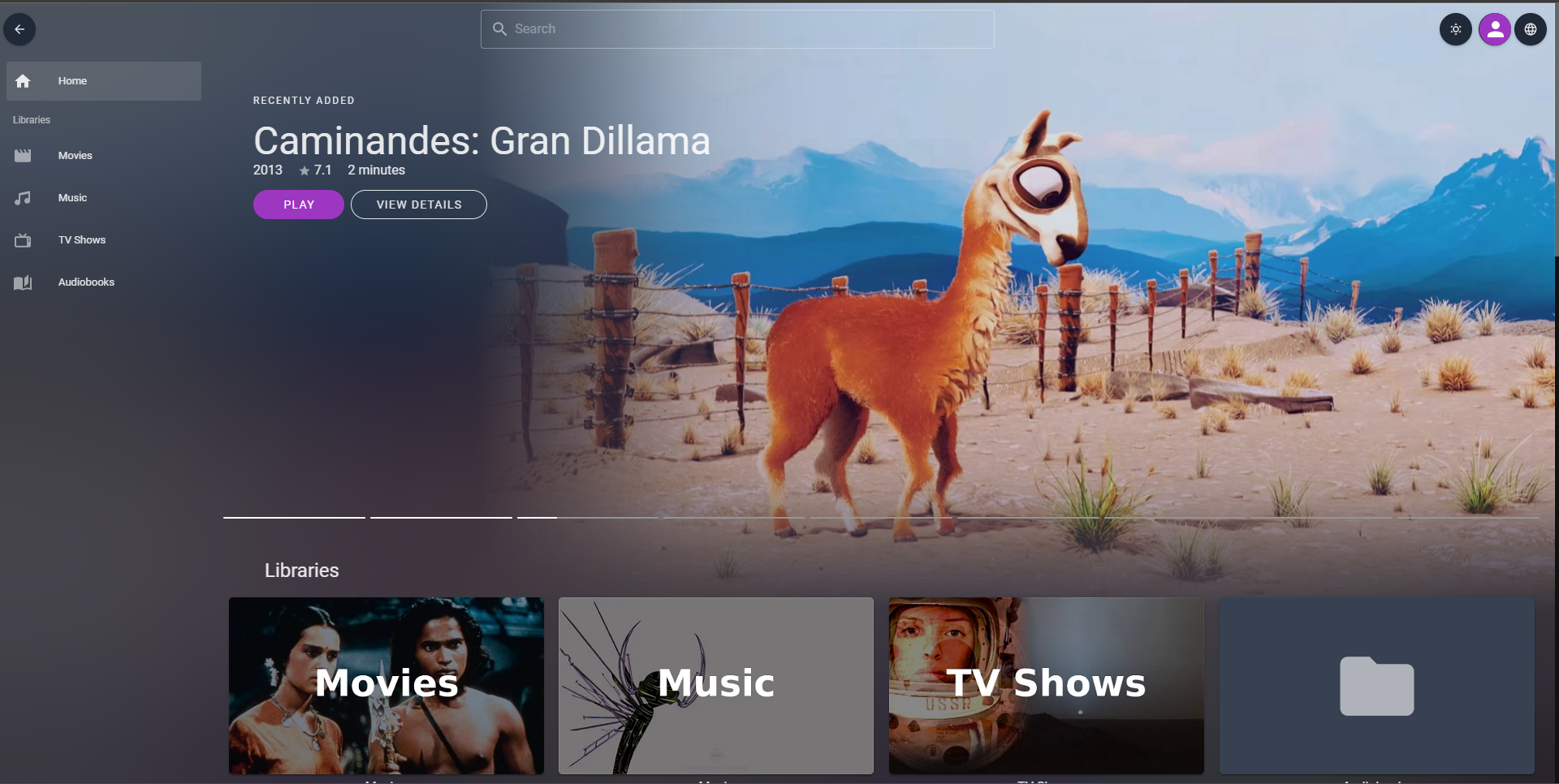
Jellyfin Vue is an experimental, alternative browser-based web client for Jellyfin written using Vue.js.
Note
Jellyfin Vue is not planned or targeted to replace the main Jellyfin Web client, and is not feature-complete.
Usage instructions for end users 👨👩👧👦
The following instructions will get you up and running quickly with
bleeding-edge builds from the current master branch.
There are no stable releases yet.
Hosted instance 🌍
Built from the latest commit in the default branch. Just input your server address when prompted. If you don't have a Jellyfin server, try with our demo instance: https://demo.jellyfin.org/stable
⚠️ This only works for Jellyfin servers that are behind a reverse proxy and have HTTPS set up correctly. If your server runs over HTTP, you must host it yourself.
Hosted by Cloudflare Pages.
Host it yourself 💽
Check our wiki page for the most up to date information.
You can check GitHub Packages (GHCR) (recommended) or DockerHub for all the tagged images.
Privacy disclaimer 🕵🏻
Jellyfin Vue is just a GUI (Graphical User Interface) for a Jellyfin server. It only establishes connection to the Jellyfin server that you point it to, nothing else.
Read more
- Local instances Examples: Our Windows/Mac/Linux application, a local web server, etc: All the necessary assets for the frontend to work are available locally (in your device) or bundled into the underlying environment (Tauri, Electron, etc) where it is running. No assets need to be fetched remotely.
- Remote instances Examples: Our hosted instance, an admin hosting Jellyfin Vue and sharing the URL (which is in a different domain from the Jellyfin Server), etc: This probably comprises most cases. Here, all the frontend assets are not locally available, but somewhere else. When you access the remotely hosted frontend (normally using a web browser like Firefox or Microsoft Edge), all the frontend assets are loaded/cached into your device. Once the load has finished, the connection will exclusively be between your device and the Jellyfin server(s) ¹². Whoever is serving the frontend is never in the middle. ³
¹ Assuming that the hosted version has not been altered (by adding trackers, beacons...) in any way from the sources provided in this repository and you trust the person/people behind it to not have done so.
² Some features that need access to remote resources that are not controlled by you and/or the person hosting Jellyfin Vue might be added in the future (such as Google Cast support for Chromecasts). These will be always opt in and toggleable through our configuration
³ We assume standard networks here, no special configurations or policies that your ISP/Workplace/University/etc might apply.
Jellyfin Web (our main frontend) works in a similar way: It connects by default to the Jellyfin server that is running alongside, but it's also capable to connect to other Jellyfin servers like can be tested in our demo and the hosted instance. By inspecting the network requests, you will find that only connections to fetch its own assets are made to the server distributing the client, but connections to your own Jellyfin server will not go through it.
The same principle applies to Jellyfin Vue. Note that Jellyfin Web can also be hosted standalone, just like Jellyfin Vue.
- Relevant links: Community standards and Social Contract
Usage instructions for developers 🛠
See development setup from our Contributing guides.
Contributing 🤝
See Contributing guide.